
Your AI assistant can write a summary, draft an email, or answer a question. What it cannot do, on its own, is open your CRM, update a record, or send that email on your behalf. The Model Context Protocol (MCP) is the standard that closes that gap. Understanding what MCP is, and what MCP AI actually enables, is quickly becoming one of the more consequential decisions a business owner can make about their software stack.
What Is MCP? A Plain-English Definition
The One-Sentence Answer
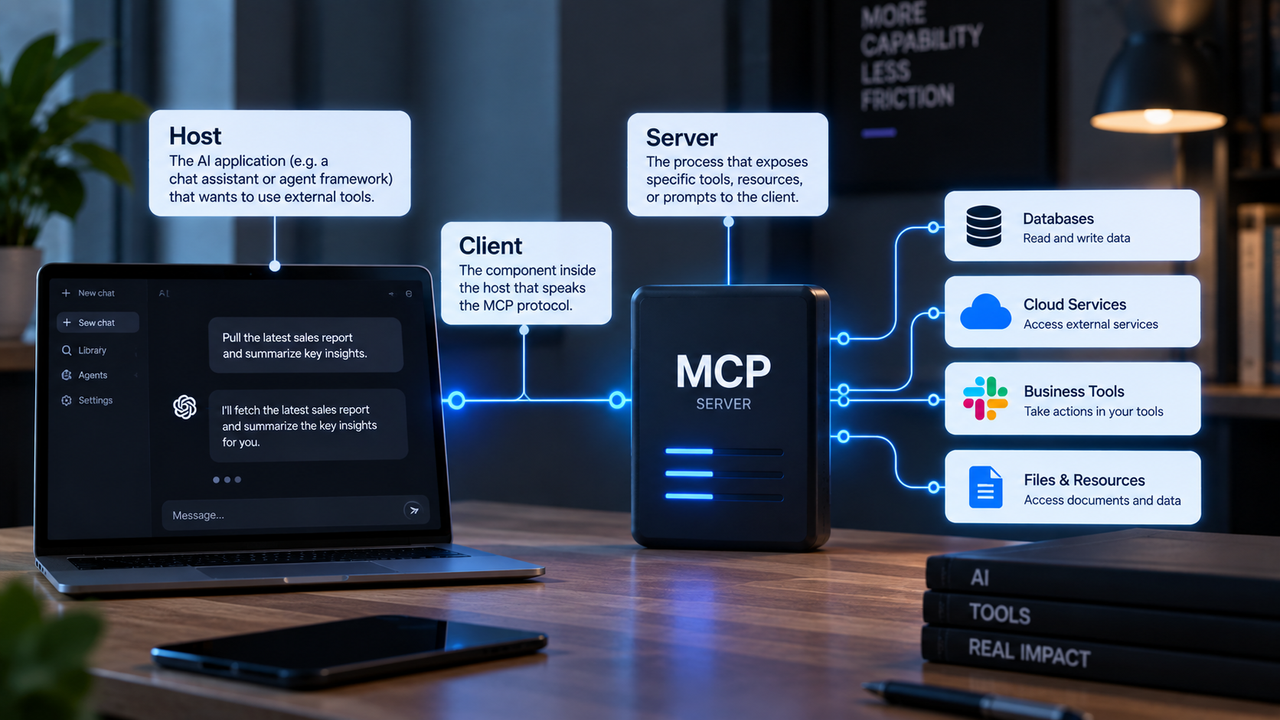
The Model Context Protocol is an open standard that lets AI models connect to, read from, and act on external software systems through a single, governed interface, instead of requiring a custom integration for every tool.
Think of it as a universal adapter. Before MCP, connecting an AI to your calendar required one bespoke integration, connecting it to your CRM required another, and connecting it to your database required a third. Each connection was its own project, its own security surface, and its own maintenance burden. MCP replaces that pile of one-off wires with a single, standardized protocol that any compliant tool can plug into.
The Problem MCP Was Built to Solve
AI That Could Talk but Couldn't Do
Large language models arrived and were extraordinarily good at generating text and reasoning through problems, but they were sealed off from the actual systems a business runs on. An AI could tell you how to update a customer record. It could not update the record.
This was not a capability problem. It was an architecture problem. The AI had no sanctioned, standardized way to reach into your software and take action. Every attempt to give it that ability required custom code, custom credentials, and custom maintenance.
The Integration Problem That Kept AI Away From Real Work
The deeper issue was fragmentation. Every SaaS tool exposes a different API, with different authentication requirements, different data formats, and different rate limits. Building a reliable connection between an AI and even three or four business tools was a significant engineering project. Building one that was also secure, auditable, and maintainable was larger still.
How the Model Context Protocol Works (Without the Jargon)
Hosts, Clients, and Servers in Plain English
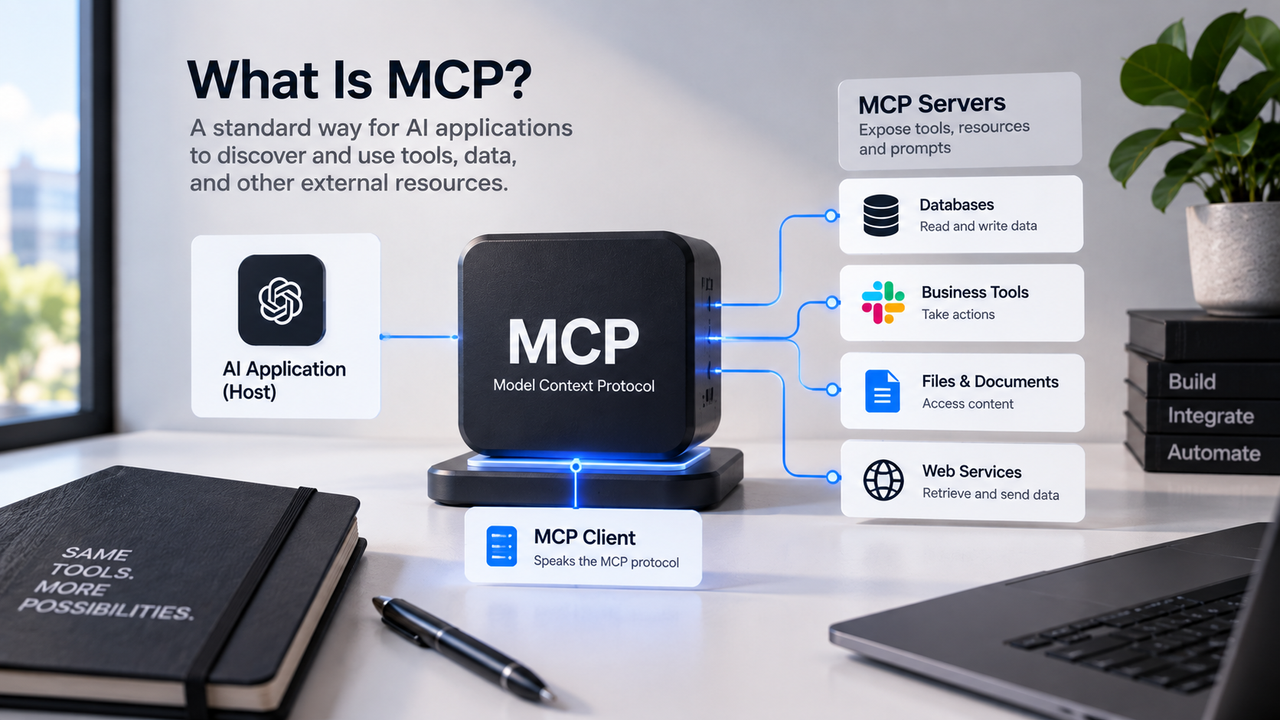
The host is the AI application the user interacts with. This could be Claude, a custom AI assistant built into your internal tools, or any other AI-powered interface. The host is what the user talks to.
The client is the component inside the host that speaks MCP. It handles the communication between the AI and the outside world, formatting requests and receiving responses according to the protocol's rules.
The server is the bridge to a specific tool or data source. An MCP server for your calendar knows how to read and write calendar events. An MCP server for your CRM knows how to query and update customer records. The server translates the AI's standardized MCP request into whatever that specific tool actually needs.
Tools, Resources, and Prompts: What AI Can Actually Reach
Within the model context protocol, there are three categories of things an AI can interact with.
Tools are actions the AI can take: sending an email, creating a record, running a calculation, triggering a workflow.
Resources are data the AI can read: a customer file, a document, a database row, a calendar entry. These are the nouns.
Prompts are pre-built instruction templates that shape how the AI approaches a specific task within a given tool context. They help ensure consistent, appropriate behavior when the AI is operating in a particular system.
FastMCP's documentation describes MCP middleware as a pipeline of hooks around these three operation types, allowing each one to be inspected, modified, or blocked before it reaches the underlying tool. That pipeline is where governance lives.
What MCP Lets AI Actually Do for a Business
With MCP-connected tools, an AI assistant can read your open invoices and flag the ones past due. It can check a customer's order history before drafting a follow-up email. It can pull a scheduling gap from your calendar and propose a meeting time without you touching the calendar app. It can update a project status in your task manager after you describe what was completed in plain language.
None of that is science fiction. It is what happens when AI has a governed, standardized path into the software your business already runs.
MCP vs. Traditional API Integration: Key Differences
The question that comes up immediately is: how is this different from just using APIs? It is a fair question, and the answer is structural.
Feature | Traditional API Integration | Model Context Protocol |
|---|---|---|
Connection scope | One integration per tool | One protocol, many tools |
Who builds it | Developer, per tool | Developer builds server once; AI reuses it |
Auth and policy | Handled per integration | Centralized, OAuth 2.0/2.1 compliant |
Auditability | Varies by implementation | Structured logging at the protocol layer |
AI awareness | AI calls API directly | AI requests through governed middleware |
Adding a new tool | New integration project | New MCP server, same protocol |
The practical difference is compounding. A traditional API integration is a point-to-point wire. MCP is a switchboard. The first tool you connect costs roughly the same either way.
Traefik's MCP gateway documentation describes the middleware as providing centralized access control and fine-grained policy enforcement across all connected MCP servers, which is something a collection of individual API integrations cannot offer without significant additional engineering.
Security and Trust: How MCP Protects Your Business Data
Least-Privilege Access in Plain Terms
One of the legitimate concerns about giving AI access to business systems is the question of how much access it actually gets. The answer under MCP is: exactly as much as you configure, and no more.
The protocol is built around least-privilege access. Each MCP server exposes only the specific tools and resources it is configured to expose. An AI connected to your invoicing MCP server can read and create invoices. It cannot, through that same connection, access your HR records or your email, because those are different servers with different access controls. The AI cannot reach what the protocol does not permit.
This is enforced at the middleware layer using OAuth 2.0 and 2.1 standards, with JWT-based authorization evaluated against policy rules before any request reaches the underlying tool.
Human-in-the-Loop Approvals: You Stay in Control
MCP does not require fully autonomous AI operation. The protocol supports human-in-the-loop approval flows, where certain tool calls, particularly ones that write, delete, or send, require explicit confirmation before execution.
This means you can configure your AI to propose an action and wait for a human to approve it before anything happens in the underlying system. The AI drafts the invoice; a person clicks confirm before it sends.
Real-World Use Cases Where MCP Shines for SMBs
The businesses that benefit most immediately from MCP-connected software tend to share a common profile: they are running several SaaS tools, they have staff spending meaningful time moving information between those tools, and they have not been able to justify a full custom integration project for each connection they need.
Concrete examples of what MCP enables in that context:
- A customer service team whose AI can pull order history, check inventory status, and draft a resolution email without switching between three applications
- An operations lead whose AI can read project status across tasks, flag blockers, and update a weekly report without manual data gathering
- A finance team whose AI can match incoming payments to open invoices, flag discrepancies, and prepare a reconciliation summary for human review
- A sales team whose AI can check CRM notes before a call, log the outcome afterward, and schedule the follow-up, all from a single conversation
How a Business Actually Gets Started With MCP
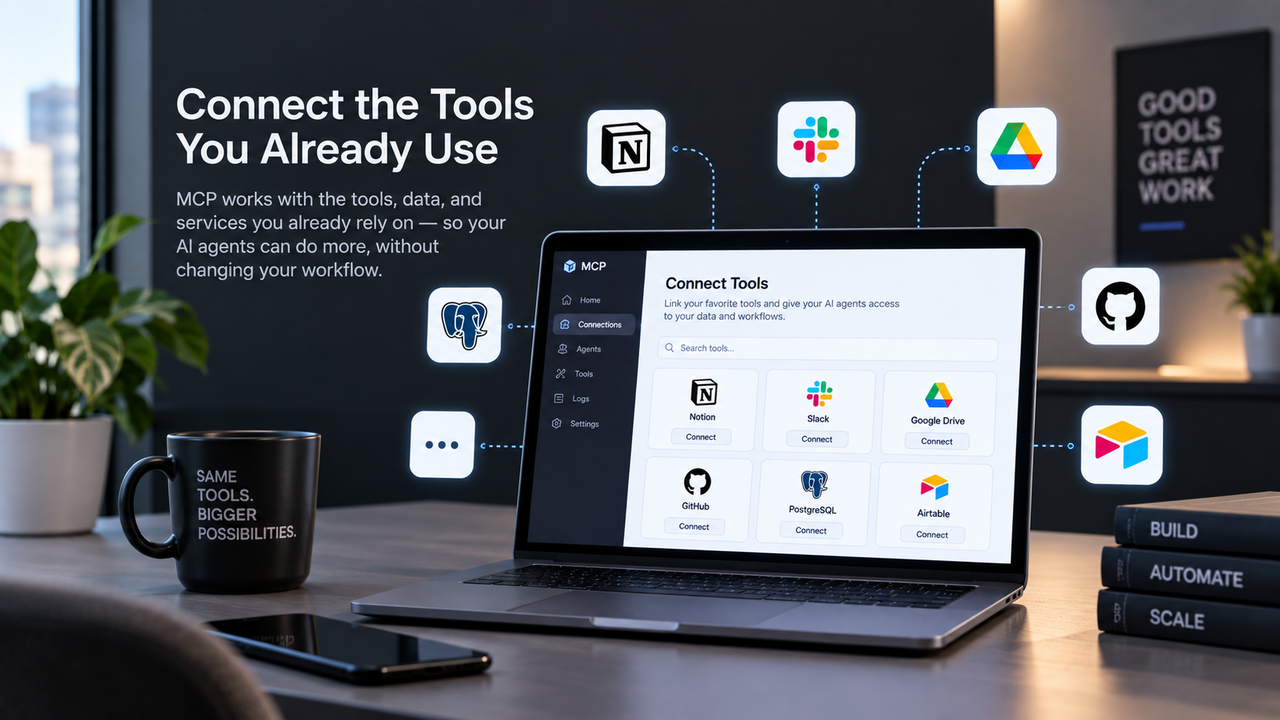
The fastest path to MCP-connected AI is through the tools you are already running. A growing number of SaaS platforms are publishing their own MCP servers, and AI assistants like Claude are adding native MCP support. If your CRM, your calendar, or your project management tool already has an MCP server available, connecting it to an MCP-capable AI host is a configuration task, not a development project.
This option works well for businesses whose existing tools are already a good fit for their workflows. The AI gains the ability to operate those tools; the tools themselves do not change.
FAQ
What is MCP in simple terms?
MCP, or Model Context Protocol, is a standard that lets AI models connect to and operate external software systems through a single, governed interface. Instead of requiring a custom integration for every tool an AI needs to access, MCP provides one protocol that any compliant tool can plug into. The practical result is an AI that can read your data, take actions in your software, and move information between systems, rather than just generating text about what should happen.
How is the Model Context Protocol different from a regular API?
A traditional API integration is a point-to-point connection between two specific systems, built and maintained separately for each pair of tools you want to connect. The Model Context Protocol is a universal standard: you build an MCP server for a tool once, and any MCP-capable AI can use it through the same protocol.
Is MCP safe to use with my business data?
Yes, when configured correctly. MCP is built around least-privilege access, meaning each server exposes only the specific tools and resources it is configured to expose, and nothing beyond that. Access is governed using OAuth 2.0 and 2.1 standards with JWT-based authorization, so the AI can only reach what the policy explicitly permits. The protocol also supports human-in-the-loop approval flows, so write actions, sends, and deletions can require explicit human confirmation before they execute.
Do I need developers on staff to use MCP?
For connecting to tools that already publish their own MCP servers, the setup is closer to configuration than development, and a technically capable operations person can often handle it. For building custom MCP-connected software, or for deploying MCP servers for tools that do not have them yet, you need development work.
What kinds of business tools can AI connect to using MCP?
Any tool that has an MCP server available can be connected. That currently includes a growing range of CRM platforms, calendar and scheduling tools, project management software, document systems, invoicing and accounting tools, and databases. For tools that do not yet have a published MCP server, one can be built.