
Choosing between Salesforce and HubSpot can be tricky, especially when both platforms offer powerful tools for managing sales, marketing, and customer relationships. The better choice often comes down to how your team works, what you need from a CRM, and how much complexity you’re willing to manage. Here’s how Salesforce and HubSpot compare, and which one may be the better fit for your business.
Salesforce vs HubSpot: Quick Verdict at a Glance
Side-by-Side Comparison Table
Feature | Salesforce | HubSpot |
|---|---|---|
Best for | Enterprise, complex sales orgs | SMB, mid-market, marketing-led teams |
Ease of setup | High complexity, admin-heavy | Faster setup, lower admin burden |
Pricing model | Per seat, multiple tiers and add-ons | Per seat, free tier available |
Marketing tools | Requires add-ons or separate products | Built-in across Hubs |
Customization depth | Very high | Moderate to high |
AI features | Flexible, enterprise-oriented | Faster time-to-value |
Free plan | No | Yes (with limitations) |
Implementation time | Weeks to months | Days to weeks |
Ecosystem size | Very large (AppExchange) | Large (App Marketplace) |
Who Should Choose Salesforce
Salesforce fits organizations that have outgrown simpler tools. If you run complex territory management, need custom objects, operate in a regulated industry, or have a dedicated ops or IT team to manage the system, Salesforce is suitable for that environment.
Who Should Choose HubSpot
HubSpot is a better fit for teams that want marketing, sales, and service under one roof without a long implementation runway. If you're a founder-led company, a RevOps team without a full-time Salesforce admin, or a mid-market business that wants faster time-to-value, HubSpot gets you moving quickly.
What Is Salesforce and Who Is It Built For?
Salesforce is a CRM platform, built around the idea that every sales process, workflow, and data relationship can be configured to match how your organization actually operates. It is not a plug-and-play tool. It is a platform that rewards teams willing to invest in setup, administration, and ongoing management.
Core Products in the Salesforce Ecosystem
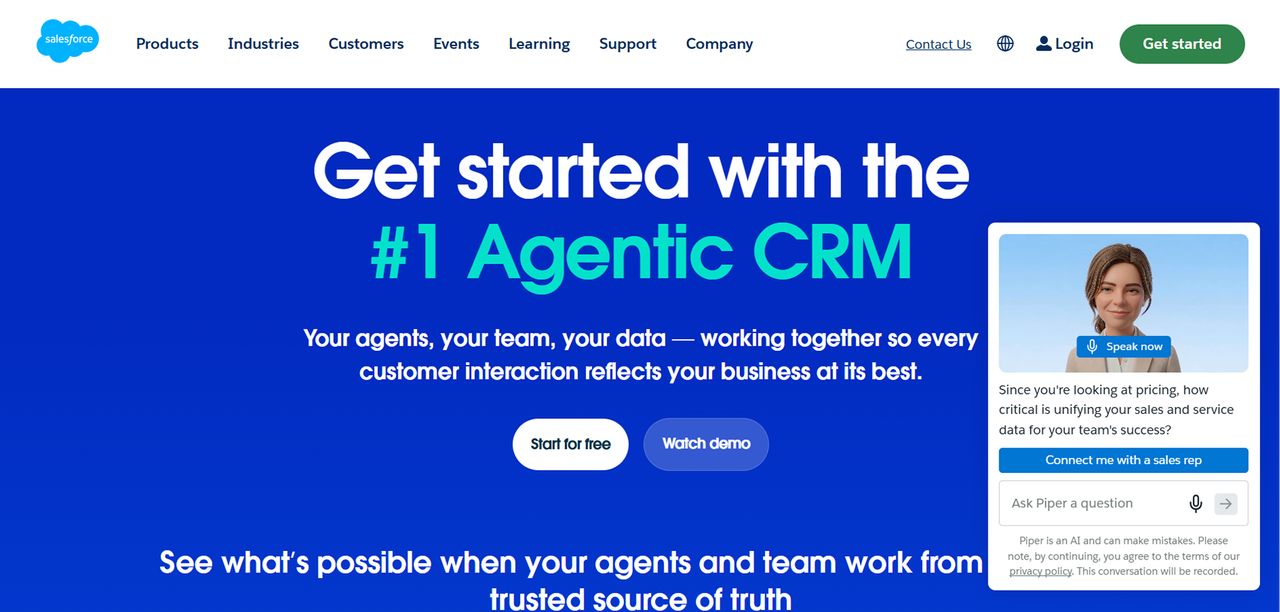
Salesforce is not a single product. It is a suite of clouds, each targeting a different function.
- Sales Cloud: pipeline management, forecasting, territory management, and sales automation
- Service Cloud: customer support, case management, and service workflows
- Marketing Cloud: enterprise-level marketing automation and campaign management
- Commerce Cloud: B2B and B2C commerce functionality
- Tableau: analytics and business intelligence
- MuleSoft: integration and API management
- Slack: team communication, now embedded in the Salesforce ecosystem
Typical Salesforce Customer Profile
According to research across multiple CRM comparisons, including this one from McGaw, Salesforce is typically chosen by enterprise sales leaders, IT-heavy organizations, regulated industries, and companies that need custom objects and complex workflow automation. These are organizations where the CRM is a mission-critical system managed by a dedicated team, not a tool that sales reps configure themselves.
What Is HubSpot and Who Is It Built For?
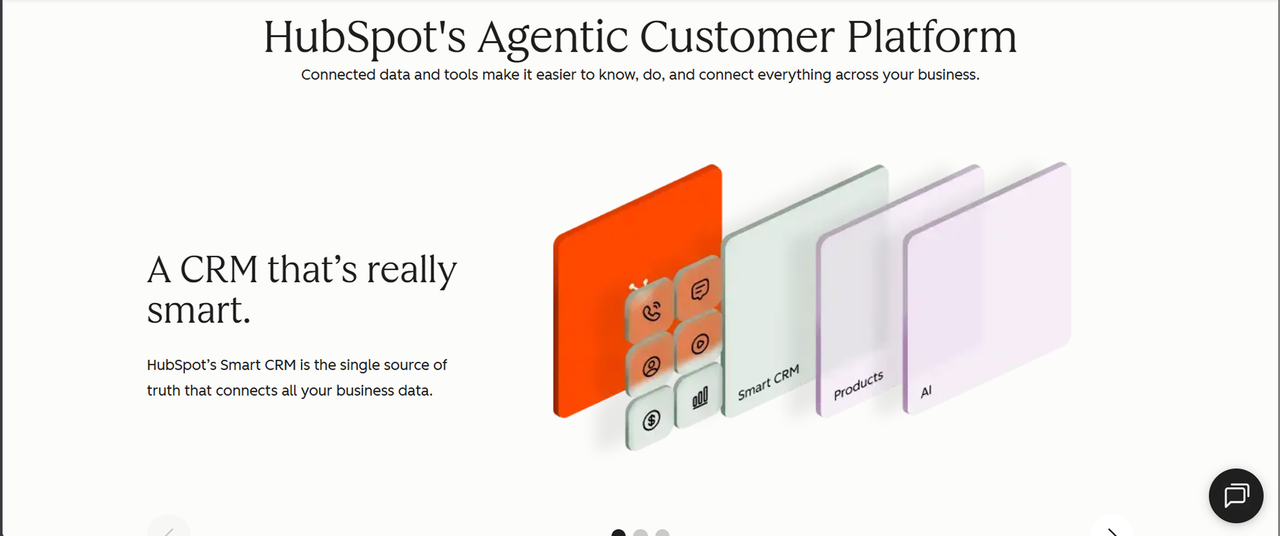
HubSpot started as an inbound marketing platform and has grown into a full CRM suite covering marketing, sales, service, and operations. Its core design principle favours that teams should be able to get value from the software quickly, without a dedicated administrator or a months-long implementation project.
Core Hubs in the HubSpot Platform
HubSpot organizes its product into Hubs, each sold separately or bundled.
- Marketing Hub: email marketing, landing pages, lead capture, marketing automation, and analytics
- Sales Hub: pipeline management, sequences, meeting scheduling, and sales automation
- Service Hub: ticketing, knowledge base, customer feedback, and live chat
- Operations Hub: data sync, workflow automation, and data quality tools
- Content Hub: website management and content tools
- Commerce Hub: payments, invoicing, and subscription management
Typical HubSpot Customer Profile
HubSpot is most commonly chosen by SMB founders, marketing-led growth teams, small sales teams, and RevOps teams with limited admin resources. It fits companies that want marketing and sales aligned in one system without the overhead of managing separate platforms. Mid-market teams that want faster time-to-value and lower implementation complexity are also a strong fit.
Feature-by-Feature Breakdown: CRM, Sales, and Marketing Tools
Contact and Pipeline Management
Both platforms handle contact records, deal pipelines, and activity tracking. HubSpot's contact and pipeline management is intuitive out of the box. You can build a pipeline, add deal stages, and start logging activity within hours of signing up. Salesforce's pipeline management is more powerful but requires configuration. Custom fields, custom objects, and complex record relationships are all possible, but someone has to build them.
For a small team that needs a clean pipeline view and basic contact management, HubSpot wins on speed. For a team that needs multiple pipelines, complex record relationships, or territory-based views, Salesforce has the depth.
Sales Automation and Sequences
HubSpot's sequences tool lets sales reps enroll contacts in automated email and task sequences directly from the CRM. It is straightforward to set up and works well for teams running outbound or follow-up workflows. Salesforce's automation tools, primarily Salesforce Flow, are significantly more powerful but require admin-level knowledge to configure. Both platforms offer sales automation, but the complexity and flexibility differ substantially.
Reporting and Analytics Dashboards
Salesforce's reporting engine is one of its strongest features. Custom reports, cross-object reporting, and advanced forecasting are all available natively. Tableau adds another layer of analytics depth for teams that need it. HubSpot's reporting has improved significantly and covers most needs for SMB and mid-market teams, but it has limits when you need complex cross-object reporting or highly customized dashboards.
For straightforward pipeline and marketing reporting, HubSpot is sufficient. For enterprise-grade analytics across complex data relationships, Salesforce is the stronger tool.
AI and Automation Features in 2026
Both platforms have invested heavily in AI features. HubSpot's AI tools are designed to be usable without technical configuration. Salesforce's Einstein AI is more powerful but, like the rest of the platform, rewards teams that invest in setup and customization.
Pricing Compared: Salesforce vs HubSpot in 2026
Salesforce Pricing Tiers and Add-On Costs
Salesforce does not publish a simple pricing table that covers all scenarios. Pricing varies by product, edition, and contract terms. As of June 2026, Salesforce Sales Cloud Enterprise lists at $175 per user per month (billed annually) — roughly $52,500 per year in licenses for a 25-person team. That figure does not include implementation costs, premium support, or add-on products like Marketing Cloud or Tableau. Verify current pricing directly on Salesforce's pricing page before making any decisions, as pricing changes frequently.
HubSpot Pricing Tiers and Free Plan Details
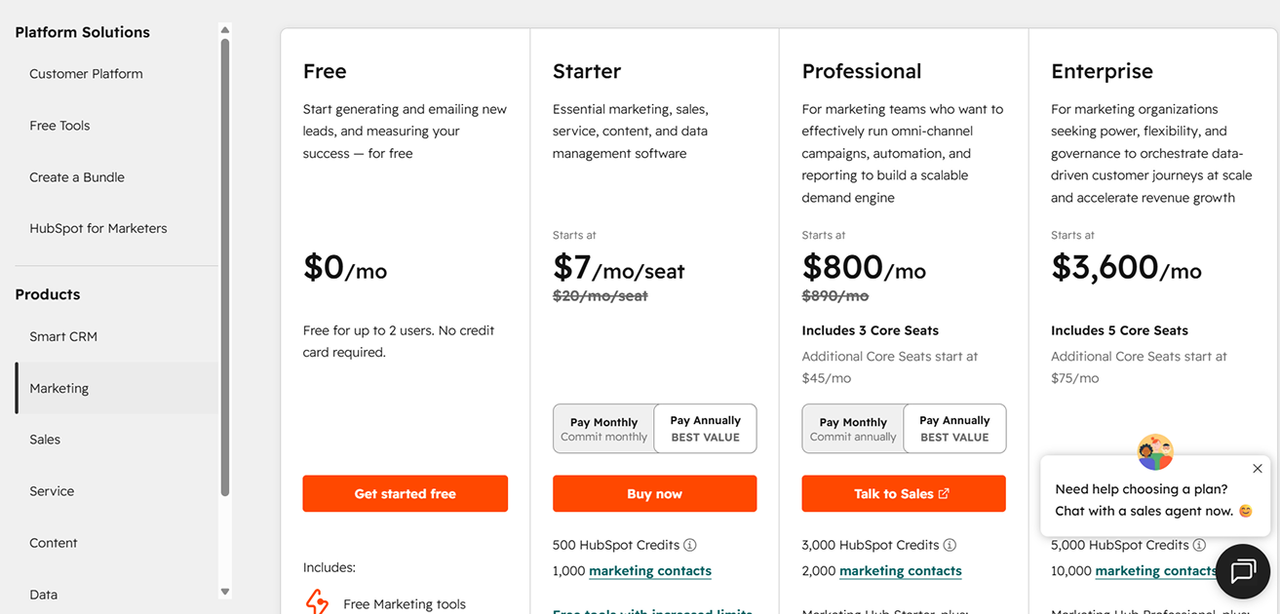
HubSpot's pricing is more transparent at the entry level. Based on a 2026 comparison summary (verify on HubSpot's official pricing page before purchase):
Plan | Price | Billing |
|---|---|---|
Starter Customer Platform | $15/seat/month | Annual |
Sales Hub Starter | $15/seat/month ($9 promo) | Annual |
Sales Hub Enterprise | $150/seat/month | Annual |
Marketing Hub Professional | $800/month | Annual |
Ease of Use and Onboarding Experience
Salesforce Setup Complexity and Admin Requirements
Salesforce is not really designed for self-service setup. Most organizations that deploy it successfully either hire a Salesforce administrator, engage a consulting partner, or both. The platform is built for deeper configuration, which means the out-of-the-box experience requires significant work before it matches your actual sales process. T
HubSpot Onboarding and User Experience
HubSpot is designed to be usable without really needing a dedicated administrator. The interface is clean, the setup flow is guided, and most teams can get a working pipeline and basic automation running within days. The mandatory onboarding fees at higher tiers reflect that HubSpot still wants to ensure teams start correctly, but the day-to-day experience is built for non-technical users.
Integrations and Ecosystem Compatibility
Salesforce AppExchange vs HubSpot App Marketplace
Salesforce's AppExchange is one of the largest enterprise software marketplaces in existence, with thousands of apps, components, and consulting partners. HubSpot's App Marketplace is substantial and covers most common integrations, but it is smaller in scope. For teams that need highly specific integrations, particularly in regulated industries or enterprise environments, Salesforce's ecosystem depth is a real advantage.
API Flexibility for Custom Development
Both platforms offer APIs for custom development. Salesforce's API is more mature and more flexible, which matters for enterprise teams building custom integrations or connecting to proprietary internal systems. HubSpot's API is well-documented and sufficient for most integration needs at the SMB and mid-market level. If your team has developers building custom workflows or connecting the CRM to internal tools, both platforms support it.
Final Recommendation: How to Choose Between Salesforce and HubSpot
Choose Salesforce If...
- Your sales process involves complex territory management, custom objects, or multi-product pipelines
- You have a dedicated CRM administrator or plan to hire one
- You operate in a regulated industry with specific compliance requirements
- You need enterprise-grade reporting and forecasting across complex data relationships
- You are already embedded in the Salesforce ecosystem through other products
Choose HubSpot If...
- You want marketing, sales, and service in one platform without stitching together multiple products
- Your team needs to be up and running quickly without a long implementation runway
- You do not have a dedicated CRM admin and do not plan to hire one
- You are an SMB or mid-market team that prioritizes usability and faster time-to-value
- You want a free starting point that you can grow into over time
The Third Option Most Teams Don't Consider
Here is something worth sitting with before you sign either contract.
Both Salesforce and HubSpot are per-seat models. Your software bill goes up every time you hire someone. Neither platform is built around how your business actually works. You configure them to approximate your process.
There is a different model. You can own a CRM built around your actual workflow, at a flat monthly rate that does not scale with headcount. No per-seat tax. No features locked behind an enterprise tier. No quiet price hikes at renewal.
We have helped companies cut software spend by up to 70% by replacing rented SaaS with owned tools built for how they actually operate. If you are staring at a Salesforce or HubSpot renewal and wondering why the number keeps going up, it is worth seeing what a custom-built alternative looks like.
FAQ
Can HubSpot replace Salesforce for a growing mid-market company?
In many cases, yes. HubSpot has moved upmarket significantly and now covers most of the functionality that mid-market sales and marketing teams need. The gap narrows when your process is relatively straightforward and you want marketing and sales in one system. Where HubSpot still falls short is in highly complex sales processes, advanced territory management, and cross-object reporting at enterprise scale. If your mid-market company has a complex, multi-product sales motion with dedicated ops resources, you may hit HubSpot's ceiling sooner than you expect.
Does HubSpot have a free CRM and what are its limitations?
Yes, HubSpot offers a genuinely free CRM tier that includes contact management, deal pipelines, basic email tools, and limited reporting. The limitations are meaningful. Automation is restricted, reporting is basic, the number of email sends is capped, and many of the features that make HubSpot useful at scale, such as sequences, advanced workflows, and custom reporting, require a paid plan. The free tier is a legitimate starting point for very early-stage teams.
How long does it take to implement Salesforce vs HubSpot?
HubSpot implementations for small to mid-sized teams typically take days to a few weeks for a functional setup. Salesforce implementations are measured in weeks to months, depending on the complexity of your sales process, the number of custom objects required, and whether you are migrating data from another system.
Can Salesforce and HubSpot be integrated and used together?
Yes. The integration between Salesforce and HubSpot is well-established and widely used. Many organizations run HubSpot for marketing and top-of-funnel activity while Salesforce manages the sales pipeline and post-opportunity data. The sync keeps contact and deal data aligned between the two systems.