
Workflow automation can save hours of repetitive work, but relying on a closed platform isn’t the only way to do it. Open-source tools give you more control over your automations, data, and infrastructure, with options ranging from simple integrations to complex developer workflows. Here are some of the best open-source workflow automation tools to consider in 2026.
What to Look for Before Choosing an Open Source Tool
Not every tool labeled "open source" gives you the same freedoms. License type matters: MIT and Apache 2.0 are permissive licenses that allow commercial use, modification, and distribution subject to their license conditions. AGPL licenses require that modifications be shared back if you distribute the software. Fair-code licenses, used by tools like n8n, add commercial restrictions that don't meet the Open Source Initiative definition. Know what you're adopting before you build on it.
Beyond licensing, evaluate these factors before committing:
- Self-hosting complexity: Does the tool require Kubernetes, or can a single engineer stand it up on a VM?
- Connector library: How many native integrations exist, and how hard is it to build a custom one?
- Community health: GitHub star count and fork activity are proxies, but look at issue response times and release cadence.
- Scalability ceiling: A tool that works for 10 workflows may not handle 10,000 without architectural changes.
- Commercial support availability: For production deployments, knowing a managed option exists matters even if you don't use it today.
N8n: The Developer-Friendly Automation Platform (Fair-Code, Not Open Source)
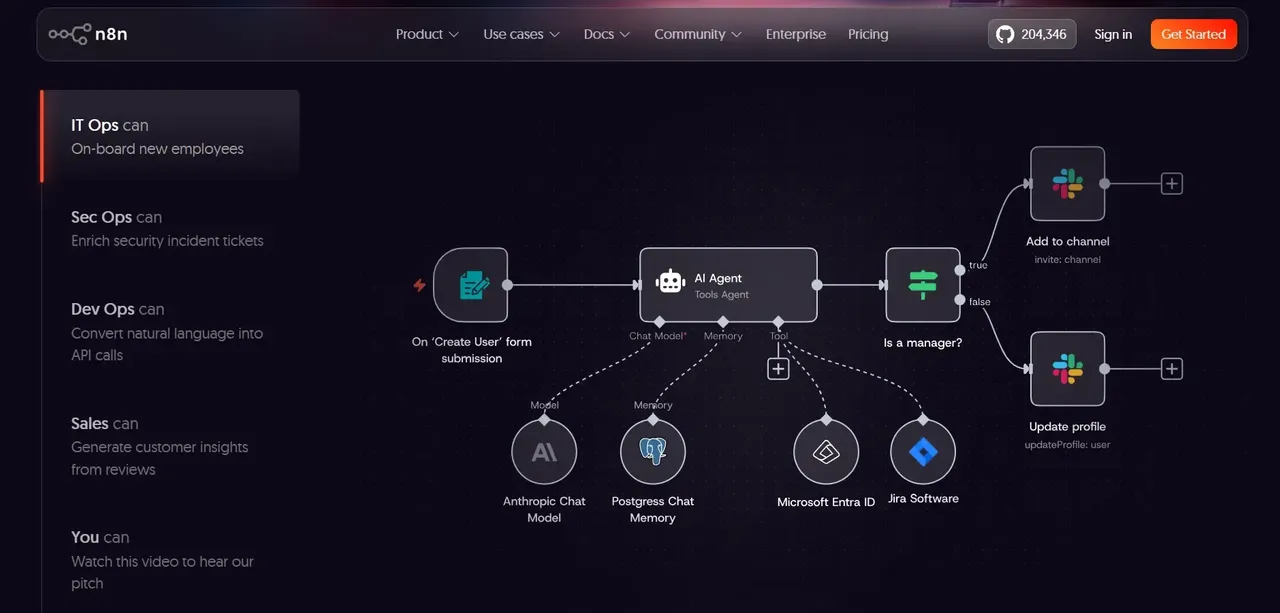
n8n is one of the most widely adopted self-hostable automation platforms available today. It sits in a category of its own: the source code is publicly available and self-hosting is free, but the Sustainable Use License allows internal business use but restricts certain commercial uses, particularly offering n8n's functionality to third parties as part of a commercial service. It is not open source by the OSI definition, and that distinction matters if you're building a product on top of it or offering it as a service.
n8n's visual workflow editor lets you connect triggers, conditions, and actions across hundreds of services without writing code. For teams that do want to write code, every node supports JavaScript expressions and custom code blocks, making it genuinely useful for developers who want to extend beyond what the UI offers.
The integration library covers CRMs, databases, communication tools, cloud storage, and AI services. Native AI nodes let you call language models and chain their outputs into downstream workflow steps, which is increasingly relevant as teams look to automate decision-heavy processes.
Apache Airflow: Enterprise-Grade Pipeline Orchestration
Apache Airflow is an open source tool for data pipeline orchestration, and the numbers back that up. It carries a true Apache 2.0 license, meaning no commercial restrictions on use, modification, or distribution.
Airflow is Python-native, battle-tested at scale, and has a plugin ecosystem covering most data source and destination in common use. It is also a bit complex to operate.
Airflow models workflows as Directed Acyclic Graphs (DAGs), defined in Python code. Each DAG specifies tasks, their dependencies, and their schedule. This code-first approach means your workflows live in version control, can be reviewed like any other code, and are reproducible across environments.
Task management features include dependency resolution, retry logic with configurable backoff and deadline alerting on failure. The web UI provides a visual representation of DAG runs, task states, and logs, giving operators clear visibility into what succeeded, what failed, and why.
Prefect: Modern Dataflow Automation with a Pythonic API
Prefect is a Python-first workflow orchestration tool designed to address some of Airflow's operational friction. Where Airflow requires you to define workflows as DAGs in a specific structure, Prefect lets you decorate ordinary Python functions with @flow and @task annotations, turning existing code into orchestrated workflows with minimal refactoring.
Prefect's open source core (Prefect Core) is Apache 2.0-licensed and self-hostable. The commercial Prefect Cloud offering adds a managed orchestration layer, observability dashboards, and team features. For teams already writing Python data pipelines, Prefect's lower adoption barrier is an advantage over Airflow's steeper learning curve.
Your code runs where you deploy it (locally, on Kubernetes, in a cloud function), and Prefect handles scheduling, state tracking, and retries without requiring you to co-locate your compute with the orchestrator. This makes it easier to integrate into existing infrastructure without a full platform rebuild.
Prefect is well suited to data and ML teams that want Python-native orchestration with flexible deployment options.
Temporal: Durable Workflow Execution for Microservices
Temporal solves a different problem than Airflow or n8n. It is a workflow engine built for application developers who need to coordinate long-running, stateful processes across microservices, where failures, timeouts, and partial completions are the norm rather than the exception.
The tool is open source under the MIT license and It was founded by engineers behind Uber's Cadence project and builds on that durable-execution lineage.
Temporal's core abstraction is the durable workflow: a function that executes as if it runs continuously, even if the underlying process crashes and restarts. Temporal persists the workflow's event history, so when a worker comes back online after a failure, it replays the history to reconstruct state and continues from where it left off. Your application code does not need to implement retry logic, state checkpointing, or failure recovery manually.
Windmill: The Full-Stack Script-to-Workflow Builder
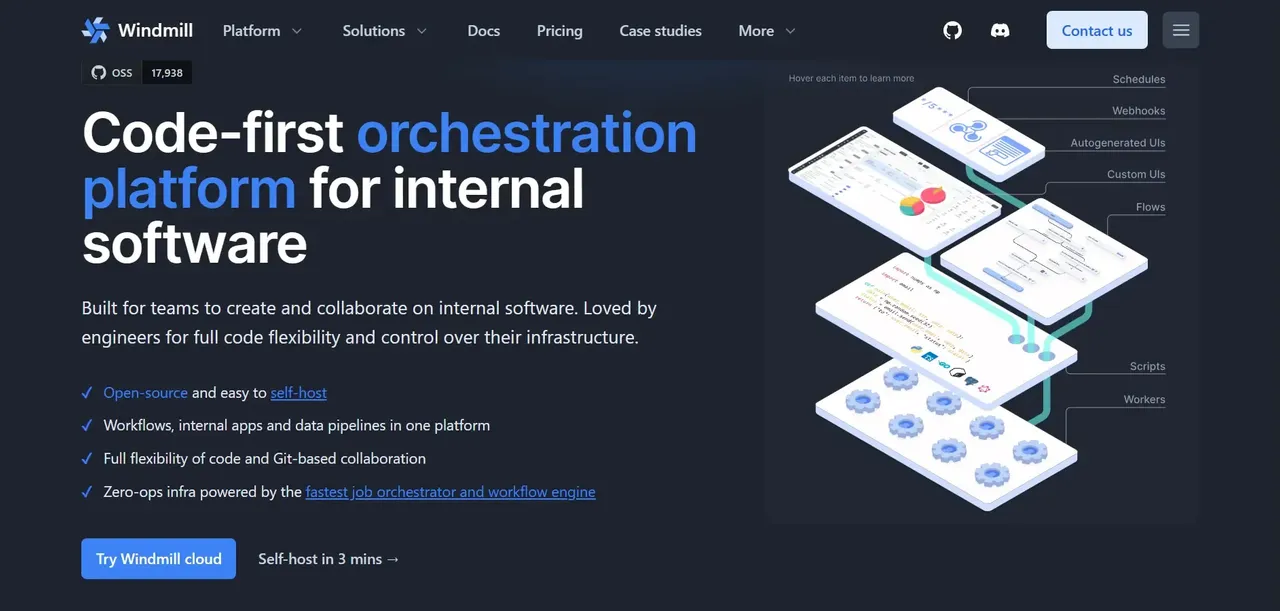
Windmill occupies an interesting position in the open source automation landscape. It is open source under the AGPL license and lets you write scripts in Python, TypeScript, Go, or Bash, then compose those scripts into workflows through a visual UI, expose them as internal apps, or schedule them as jobs.
The practical appeal for engineering teams: you write real code in your preferred language, Windmill handles the execution environment, dependency management, scheduling, and UI scaffolding. There is no proprietary DSL to learn. A Python function you write locally can be deployed as a Windmill flow step.
Windmill is particularly well-suited for internal tooling: building admin panels, automating operational runbooks, or creating lightweight internal apps that connect to your databases and APIs. It competes with tools like Retool in the internal tooling space, while also overlapping with n8n for workflow automation use cases.
Activepieces: The No-Code Open Source Alternative to Zapier
Activepieces is open-core, with an MIT-licensed core workflow automation platform designed to replace tools like Zapier for teams that want to self-host their integrations. It provides a visual, no-code builder where non-technical users can connect apps, set triggers, and define actions without writing code.
The connector library covers common business tools: CRMs, email platforms, project management apps, databases, and communication tools. New pieces (Activepieces' term for connectors) can be built using TypeScript and contributed back to the community, which keeps the library growing.
For non-developers, Activepieces is generally the more accessible starting point. Its interface is closer to Zapier's mental model: trigger, then action, with straightforward conditional logic. There is less surface area to navigate, which means less time spent figuring out the tool and more time building automations.
Node-RED: Lightweight Flow-Based Automation for IoT and Beyond
Node-RED is an Apache 2.0-licensed, flow-based programming tool originally developed at IBM for IoT use cases. It runs on Node.js and provides a browser-based editor where you wire together nodes representing inputs, processing steps, and outputs.
Its IoT roots show in its strengths: native MQTT support, hardware integrations, and the ability to run on low-power devices like Raspberry Pi. But Node-RED has expanded well beyond IoT. Teams use it for API integration, data transformation, home automation, and lightweight business process automation.
The node library (available through npm) is extensive, covering HTTP endpoints, databases, messaging queues, cloud services, and protocol adapters. Writing custom nodes requires JavaScript, which is accessible to most developers.
Head-to-Head Comparison: Choosing the Right Tool for Your Use Case
The tools above serve different use cases. The comparison below maps each tool to the dimensions that matter most for a self-hosting decision.
Comparison Table: Features, Hosting, Licence Status, and Learning Curve
Feature | n8n | Apache Airflow | Prefect | Temporal | Windmill | Activepieces | Node-RED |
|---|---|---|---|---|---|---|---|
License | Fair-code (Sustainable Use) | Apache 2.0 | Apache 2.0 (core) | MIT | AGPL | MIT core | Apache 2.0 |
True open source | No | ✓ | ✓ | ✓ | ✓ | ✓ | ✓ |
Self-hostable | ✓ | ✓ | ✓ | ✓ | ✓ | ✓ | ✓ |
No-code UI | Yes | No | No | No | Partial | Yes | Partial |
Primary use case | Integration automation | Data pipelines | Data/ML pipelines | Microservice workflows | Internal tooling | Integration automation | IoT / event-driven |
Language requirement | None (JS optional) | Python | Python | Go/Java/Python/TS | Python/TS/Go/Bash | None (TS for custom) | JavaScript |
Learning curve | Low-medium | High | Medium | High | Medium | Low | Low-medium |
Cloud SaaS option | Paid tiers | Via third parties | Paid tiers | Paid tiers (Temporal Cloud) | Paid tiers | Paid tiers | No |
How to Get Started with Your Chosen Open Source Automation Tool
The fastest path to a working deployment depends on your infrastructure comfort level and how quickly you need results.
For most teams, the practical starting sequence looks like this:
- Identify one concrete workflow to automate first. Don't start with a platform evaluation in the abstract. Pick a specific, painful manual process (a weekly report, a data sync, an approval chain) and use it as your test case.
- Match the tool to your team's technical profile using the decision framework above. Deploying the wrong tool for your team's skill set costs more time than the initial evaluation.
- Start with Docker Compose for self-hosted deployments. Most of these tools provide Docker-based options that make local evaluation relatively quick.
- Plan your production infrastructure before you go live. Self-hosting means you own the uptime, backups, and upgrades. Plan for production concerns such as persistent storage, database reliability, TLS/reverse proxying where needed, monitoring, backups and upgrades.
FAQ
What is the easiest open source workflow automation tool for beginners?
Activepieces is the most accessible starting point for users with no development background. Its interface follows the same trigger-then-action model that tools like Zapier popularized. Node-RED is also approachable for users comfortable with visual programming, though it requires some JavaScript knowledge for custom nodes. Both tools have active communities and solid documentation.
Can I self-host all of these open source automation tools?
Yes, every tool covered in this article supports self-hosting.
How does n8n compare to Activepieces for small business automation?
For small businesses without a dedicated developer, Activepieces is generally the better fit. Its core is MIT-licensed with no commercial restrictions, its interface is simpler, and the mental model maps closely to what most non-technical users expect from an automation tool. n8n offers more power and a larger integration library, but its node-based canvas and fair-code licensing add complexity that small business operators often don't need.
Is Apache Airflow suitable for teams without a dedicated data engineer?
Airflow is usually a poor fit for non-technical teams. Running it well requires Python knowledge and infrastructure expertise, particularly as deployments grow.
What is the difference between workflow automation and workflow orchestration?
Workflow automation typically refers to connecting apps and services to trigger actions automatically, replacing manual steps in a business process. Tools like n8n, Activepieces, and Node-RED sit in this category. Workflow orchestration refers to coordinating complex, multi-step processes across systems, managing dependencies, retries, state, and failure recovery at a deeper level. Apache Airflow, Prefect, and Temporal are orchestration tools.