
MCP and APIs both help software communicate with other systems, but they solve different problems. APIs define how applications exchange data and trigger actions, while MCP provides a standard way for AI applications to discover and use tools, data, and other external resources. Understanding that distinction makes it easier to see where MCP fits, when an API is enough, and why the two often work together rather than compete.
MCP vs API at a Glance
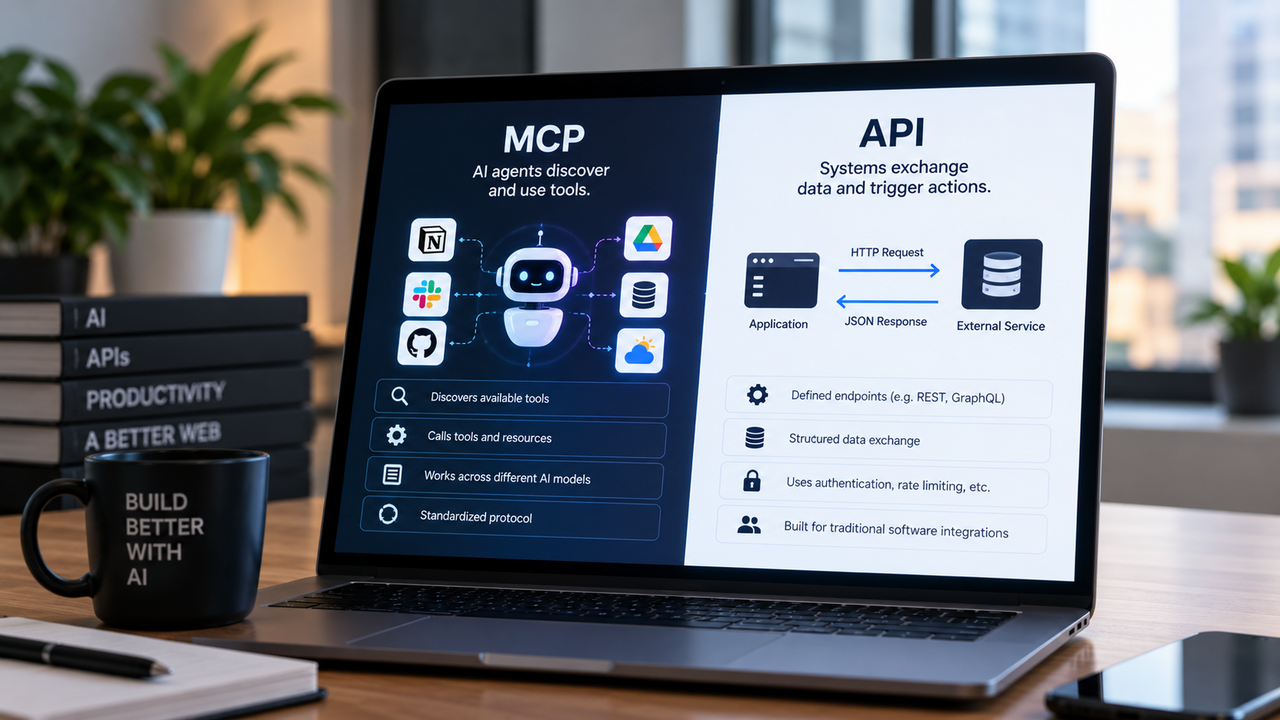
These two things are not competitors in the way that, say, two CRMs compete. A traditional API is a communication contract between software systems. MCP is a protocol that sits on top of those systems and makes them operable by AI agents. Most real-world MCP implementations call APIs under the hood.
The question is not which one to pick. The question is which layer of your stack you're designing for: human users clicking buttons, or AI agents executing tasks.
When to Choose MCP
- You are building an AI agent or LLM-powered workflow that needs to take actions across multiple tools
- You want a standardized way for an AI model to discover and call capabilities without custom prompt engineering for every integration
- You are building internal tooling where an AI assistant needs to read, write, or trigger operations in your own systems
- You want reusable integrations that work across different AI models and hosts without rewriting glue code
When to Stick with Traditional APIs
- You are connecting two software systems with no AI in the loop
- You need battle-tested authentication, rate limiting, and observability tooling
- Your team is building a product for human users who interact through a UI
- You need to integrate with a third-party service that exposes a REST or GraphQL endpoint and nothing more
TL;DR Scorecard
Feature | Traditional API | MCP |
|---|---|---|
Primary purpose | Software-to-software communication | AI agent-to-software communication |
Designed for | Human-built integrations | LLM tool-calling |
Standardization | REST, GraphQL, gRPC conventions | Open protocol spec (Anthropic-originated) |
AI readiness | Requires custom wrappers | Native |
Ecosystem maturity | Decades of tooling | Growing rapidly as of 2026 |
Sits on top of | HTTP, TCP | Often wraps existing APIs |
Best fit | Any software integration | AI-native workflows and agents |
What Is the Model Context Protocol? Understanding MCP Before the Comparison
The Origin and Purpose of MCP
Anthropic introduced the Model Context Protocol as an open standard for connecting AI models to external tools, data sources, and services. The core problem it solves: every team building an AI agent was writing custom glue code to connect their LLM to their tools. Each integration was one-off, brittle, and non-transferable. MCP defines a shared protocol so that a tool built once can be used by any compliant AI host.
How MCP Works: Hosts, Clients, and Servers
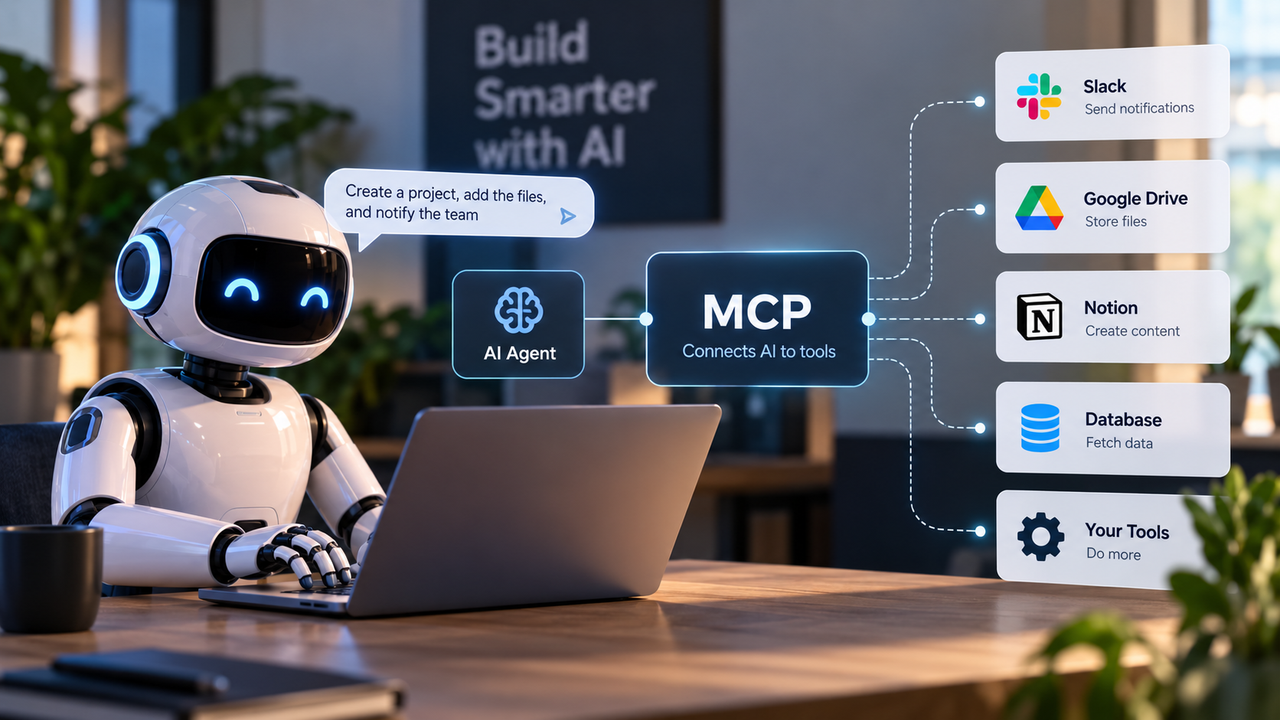
MCP has three roles in any deployment. The host is the AI application, such as a coding assistant or an agent framework, that wants to use external capabilities. The client is the component inside the host that speaks the MCP protocol. The server is the process that exposes specific tools, resources, or prompts to the client.
When a user asks an AI agent to pull a report from a database, the host routes that request through its MCP client to the appropriate MCP server, which executes the operation and returns structured results. The model never needs to know the underlying API shape of the database. The MCP server handles that translation.
Key MCP Concepts: Tools, Resources, and Prompts
Three primitives define what an MCP server can expose. Tools are executable functions the AI can call, such as "create a document" or "query a database." Resources are readable data the AI can access, such as files, records, or live data feeds. Prompts are reusable templates that help the AI formulate requests correctly for a given server.
This structure is what makes MCP more than a thin API wrapper. It gives the AI model a machine-readable description of what it can do, what data it can see, and how to ask for things correctly, without a human writing custom prompt instructions for every integration.
What Is a Traditional API? REST, GraphQL, and Beyond
REST APIs: The Dominant Standard
A REST API (Representational State Transfer) is a set of conventions for exposing data and operations over HTTP. You define endpoints, HTTP methods (GET, POST, PUT, DELETE), and a data format (almost always JSON). A client sends a request to a URL, the server processes it, and returns a response.
REST became the default integration layer for modern software because it is stateless, cacheable, and works over the same HTTP infrastructure the web already runs on.
GraphQL and gRPC: When REST Is Not Enough
REST has real limitations. Over-fetching (getting more data than you need) and under-fetching (needing multiple requests to get what you need) are some issues that can be encountered. GraphQL addresses this by letting clients specify exactly what data they want in a single query. It is particularly useful for complex, nested data models and for products with many different client types (mobile, web, third-party).
gRPC is a different answer to a different problem. It uses Protocol Buffers instead of JSON and is optimized for high-throughput, low-latency communication between internal services.
How APIs Power Modern Software Today
Almost every tool in your stack is connected by APIs. Your CRM pushes data to your email platform via API. Your payment processor confirms transactions via API. Your reporting dashboard pulls from your database via API. This infrastructure is mature, well-documented, and supported by decades of tooling for authentication, rate limiting, versioning, and monitoring.
Side-by-Side Comparison: Model Context Protocol vs API
Architecture and Communication Model
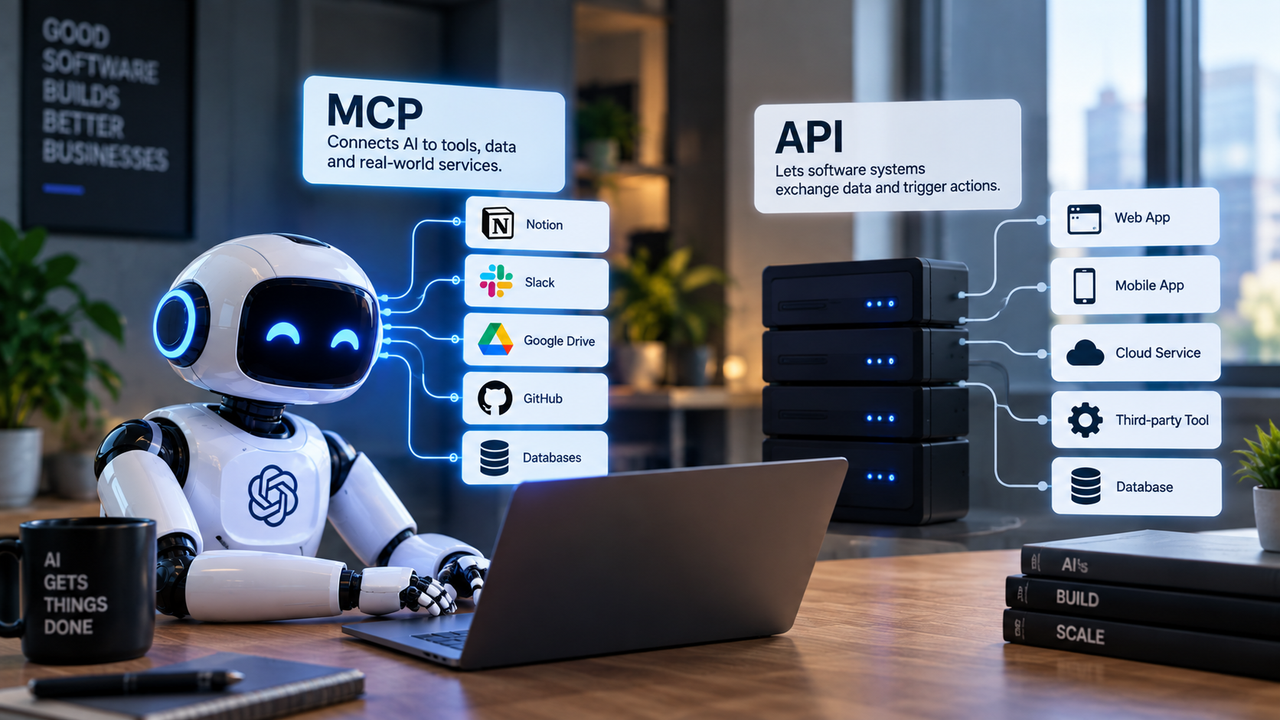
A traditional API is a point-to-point contract. System A knows the shape of System B's API and calls it directly. The integration is hard-coded. If System B changes its API, System A breaks.
MCP introduces a discovery layer. An MCP client can ask a server what tools and resources it exposes, then decide at runtime which ones to use.
Authentication and Security Posture
REST APIs have a mature, well-understood security model: API keys, OAuth 2.0, JWT tokens, and HTTPS. Every major cloud provider offers managed API gateways with rate limiting, IP allowlisting, and audit logging built in.
MCP's security model is still evolving. Because MCP servers can expose powerful tool-calling capabilities to AI models, the attack surface is different. A misconfigured MCP server could allow an AI agent to take unintended actions.
Developer Experience and Tooling
API development has decades of tooling behind it: Postman, Swagger/OpenAPI specs, API gateways, mock servers, and monitoring platforms. Debugging a REST API call is straightforward. The request and response are inspectable, loggable, and reproducible.
MCP tooling is newer. The protocol has official SDKs and growing community support, but the debugging and observability story is less mature. Tracing why an AI agent called the wrong tool, or why a tool returned unexpected results, requires more manual instrumentation than a standard API call.
Scalability and Performance Considerations
REST APIs at scale are a solved problem. Horizontal scaling, caching, CDN distribution, and load balancing are all well-understood. If you need to handle millions of API calls per day, the infrastructure playbook exists.
MCP adds a layer of overhead. Each tool call involves the model reasoning about which tool to use, the MCP client routing the request, and the server executing it. For high-frequency, low-latency operations, a direct API call will outperform an MCP-mediated one.
Why Use MCP? The Core Advantages for AI-Native Work
Dynamic Context Injection vs Static Endpoints
The core reason to use MCP is that it solves a problem REST APIs were never designed to solve: giving an AI model live, structured context about what it can do and what data it can see, at the moment it needs to act.
A static API endpoint returns data when called. An MCP resource can surface relevant context to the model before it even decides what action to take.
Reducing Prompt Engineering Overhead
Every team that has tried to build an AI agent on top of raw APIs knows the tax: pages of system prompt instructions telling the model how to call each tool, what parameters to use, and how to handle errors. That prompt grows with every new integration. It becomes a maintenance burden.
MCP shifts that burden to the server layer, where it belongs. The server describes its own capabilities in a machine-readable format. The model reads the description. The prompt stays focused on the user's goal, not on API documentation.
MCP vs Zapier: Choosing the Right Automation Layer
Zapier's Strengths: Speed and No-Code Simplicity
Zapier is a no-code automation platform that connects apps through pre-built triggers and actions. Its strength is speed for non-technical users. If you need to move data from a form submission into a spreadsheet and send a Slack notification, Zapier can do that in minutes without writing a line of code.
Zapier's integration library is extensive. For straightforward, linear workflows where a trigger causes a predictable action, it is hard to beat for setup speed.
Where MCP Outperforms Zapier for AI Workflows
A Zapier workflow is a fixed recipe. If the input changes in an unexpected way, the workflow either fails or produces the wrong output. An MCP-connected AI agent can adapt. It reads the available tools, assesses the situation, and decides which sequence of actions to take. For AI-native workflows where the path from input to output is not always the same, MCP is the right layer.
Limitations and Trade-Offs: Where MCP Falls Short
Ecosystem and Tooling Gaps vs Mature API Ecosystems
The honest assessment of MCP in 2026 is that it is powerful but young. The REST API ecosystem has decades of investment in tooling, documentation, and best practices. MCP is catching up quickly, with major cloud providers adding support, but the gap is real.
If you need to integrate with a legacy system, a niche SaaS tool, or any service that has not built an MCP server, you are back to calling a REST API. MCP does not replace the underlying API layer; it sits on top of it. Where no MCP server exists, you either build one or use the API directly.
FAQ
Is MCP replacing traditional REST APIs entirely?
No. MCP sits on top of APIs, it does not replace them. Most MCP servers call REST or other API endpoints under the hood. The distinction is that MCP adds a protocol layer that makes those capabilities accessible to AI models in a standardized, machine-readable way. REST APIs remain the dominant standard for software-to-software communication and will continue to be for the foreseeable future.
Why use MCP instead of just calling an API directly from an LLM?
Calling a REST API directly from an LLM requires extensive prompt engineering to tell the model which endpoint to call, what parameters to use, and how to handle errors. That prompt grows with every new integration and breaks when the API changes. MCP solves this by giving the model a machine-readable description of available tools and their parameters, so the model can reason about what to call without a human writing detailed API documentation into the system prompt.
Can MCP work alongside Zapier or n8n in the same workflow?
Yes, and this is often the practical approach. Zapier handles straightforward, linear automations where a trigger causes a predictable action. n8n handles more complex, self-hosted workflow automation with custom logic. MCP handles the AI-driven, context-dependent parts of a workflow where the model needs to reason about which action to take. A realistic stack might use n8n for deterministic data pipelines, Zapier for simple app-to-app triggers, and MCP for the AI agent layer that orchestrates decisions across those systems.
How mature is the MCP ecosystem in 2026?
MCP has moved from early-adopter territory into mainstream infrastructure adoption. Google has announced official MCP support for its services, and Microsoft has published integration guidance for its developer platform. The protocol has official SDKs and a growing library of community-built MCP servers. That said, the debugging and observability tooling is less mature than what exists for REST APIs, and not every SaaS tool has an MCP server yet.
What technical skills are needed to implement MCP?
Implementing an MCP server requires backend development skills. You need to understand the MCP protocol spec, write server code in a supported language (TypeScript and Python have the most mature SDKs), and handle the tool, resource, and prompt primitives correctly. Connecting that server to an existing API requires the same skills as any API integration.