Claude AI for Small Business: The Complete Guide to Saving Time and Growing Faster

58% of small businesses now use at least one AI-powered tool, and a growing share of them are landing on Claude as their general-purpose workhorse. The appeal is practical: Claude handles content, customer communication, financial prep, and internal research without requiring a dedicated team to manage it. This guide covers the most valuable claude ai use cases for small businesses today, how to set up real workflows, and where ai automation for small business starts to compound into something that actually changes your cost structure.

What Is Claude AI and Why Small Businesses Are Adopting It Fast
Claude is a large language model built by Anthropic, designed to handle complex, context-heavy tasks across writing, analysis, research, and workflow automation. It is not a narrow tool built for one job. It reads long documents, drafts nuanced replies, synthesizes data from multiple sources, and can be connected to external systems through integrations. That breadth is exactly what makes it useful for small businesses, where one person often covers three roles.

How Claude Differs From Other AI Tools

Most AI tools small businesses encounter are purpose-built: a chatbot for support, a generator for social copy, a summarizer for meetings. Claude operates across all of those categories from a single interface. Its long-context window means it can read an entire contract, a month of email threads, or a full financial report and respond with specific, grounded analysis rather than generic output.

Anthropic has also positioned Claude explicitly around small-business workflows, publishing specific use cases for payroll planning, month-end closing, marketing campaign execution, lead triaging, and contract review. That is a meaningful signal: this is not a consumer chatbot being repurposed for business. The workflows are designed around the actual operational rhythm of a small firm.

Why Claude Fits the Small Business Budget and Workflow

Claude offers multiple access tiers, from entry-level individual access to usage-based API pricing and business-oriented plans. Specific plan prices change frequently, so confirm current figures directly on Anthropic's pricing page before committing. What matters structurally is that you are not paying per seat for every employee who touches it, and the API model means you only pay for what you use.

For a 10-person firm, that economics profile is very different from a per-seat SaaS tool that charges you every time you add a hire. The flexibility also means you can start with a single workflow, prove the value, and expand without renegotiating a contract.

Top Claude AI Use Cases That Deliver Real ROI for Small Businesses

Small businesses with 10 to 49 employees tend to concentrate their AI adoption on customer service, marketing, and basic analytics. Claude covers all three, and the ROI shows up fastest in the workflows where your team currently spends the most time producing text or processing information.

Content Creation and Marketing Copy

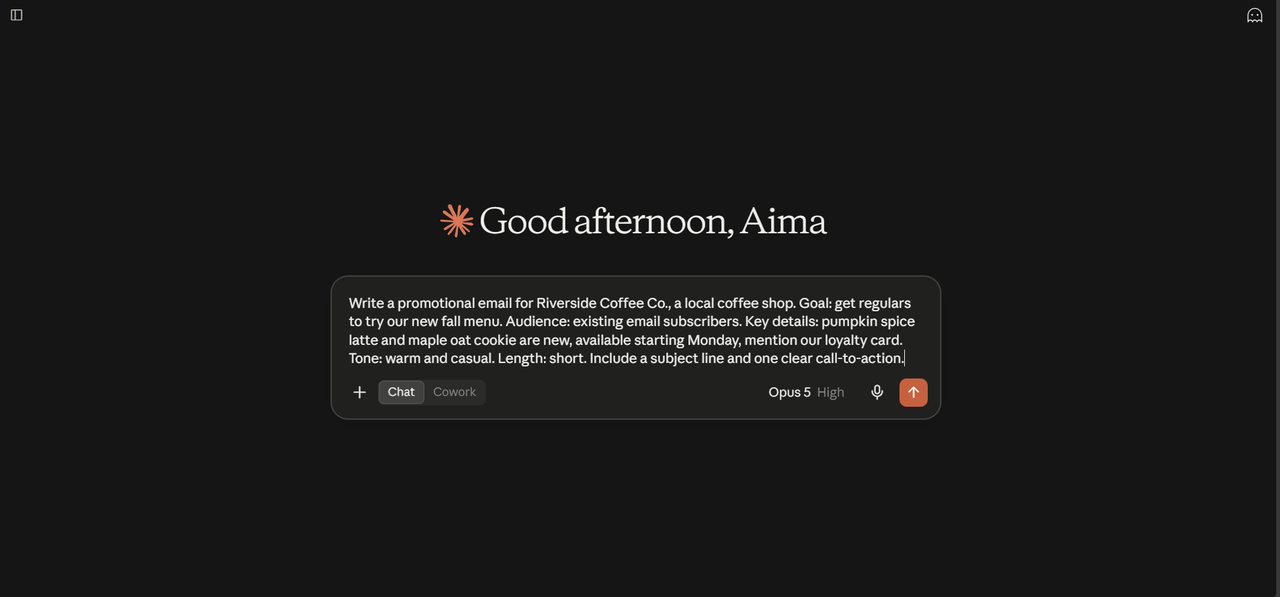
Content generation is the most popular AI use case among small firms, ahead of customer service chatbots and email automation. Claude earns that position because it produces output that requires minimal editing. You can give it a product description, a target audience, a tone guide, and a word count, and get a draft that is ready to review rather than ready to rewrite.

Practical applications include:

  • Blog posts and long-form articles drafted from a brief or outline
  • Email newsletters written to match your existing voice
  • Social media captions adapted from longer content
  • Landing page copy tested against multiple angles
  • Product descriptions for e-commerce listings at scale

The compounding effect matters here. A solo founder spending four hours a week on content can reclaim most of that time. A small marketing team can increase output without adding headcount.

Customer Communication and Support Drafts

Claude does not replace your support team. It removes the drafting burden from them. Feed it a customer complaint, a ticket thread, or an inquiry, and it produces a reply that is accurate, on-brand, and ready for a human to review and send. For businesses handling dozens of similar inquiries per week, that shift from drafting to reviewing cuts handling time significantly.

As noted by Fryntavo Cloud, Claude can also summarize long ticket threads so the person responding does not need to read the full history, and it can triage incoming requests by urgency or category before a human touches them. That is not a chatbot. That is a workflow layer that makes your existing team faster.

How to Use Claude for Business: A Step-by-Step Setup Guide

Knowing how to use Claude for business effectively comes down to three decisions: which plan fits your usage pattern, how you structure your prompts, and which workflows you automate first. Getting those three right determines whether Claude becomes a daily tool or an experiment that fades out.

Choosing the Right Claude Plan for Your Business Size

Anthropic offers individual, team, and API access options. For a solo founder or micro-business, the individual plan is typically the right starting point. For teams where multiple people need access, a team or business plan makes more sense than sharing a single login. For businesses that want to embed Claude into their own tools or automate workflows programmatically, API access is the path.

Before choosing, map out your primary use case. If you are using Claude interactively for drafting and research, a subscription plan works. If you want Claude running in the background, processing data and triggering actions without manual input, you need API access. Those are different products with different cost structures.

Writing Effective Prompts That Get Business-Ready Outputs

The quality of Claude's output is directly proportional to the specificity of your input. Vague prompts produce generic output. Specific prompts produce usable output.

A prompt that works for business use typically includes:

  • Context: who you are, what your business does, who the audience is
  • Task: exactly what you want Claude to produce
  • Format: length, structure, tone, and any constraints
  • Examples: a sample of your existing voice or a reference document

For example, instead of "write a follow-up email," try: "Write a follow-up email to a prospect who attended our demo last Tuesday but has not responded. We sell field service software to HVAC contractors. Tone is direct and friendly, not pushy. Keep it under 150 words." That prompt produces something you can send. The first one produces something you have to rewrite.

AI Automation for Small Business: Workflows You Can Build With Claude Today

AI automation for small business does not require a developer or a six-month implementation. With Claude connected to your existing tools via integrations or simple API calls, you can automate repetitive text-heavy tasks that currently eat hours every week. StealthAgents reports that 52% of North American SMBs are already using AI automation tools specifically, separate from general AI assistants.

Automating Email Drafts and Follow-Up Sequences

The most immediate win for most small businesses is email. Claude can generate first drafts of outreach emails, follow-up sequences, and client update messages based on a set of inputs you define once. Connect it to your CRM data and it can personalize each draft with deal stage, last contact date, and specific context from the account.

Anthropic's own small-business documentation describes an invoice chaser workflow where Claude pulls overdue invoice data, ranks them by priority, and queues reminder messages ready for review and send. That is not a hypothetical. It is a documented workflow you can replicate with QuickBooks data and a basic automation layer.

Streamlining Proposal and Quote Generation
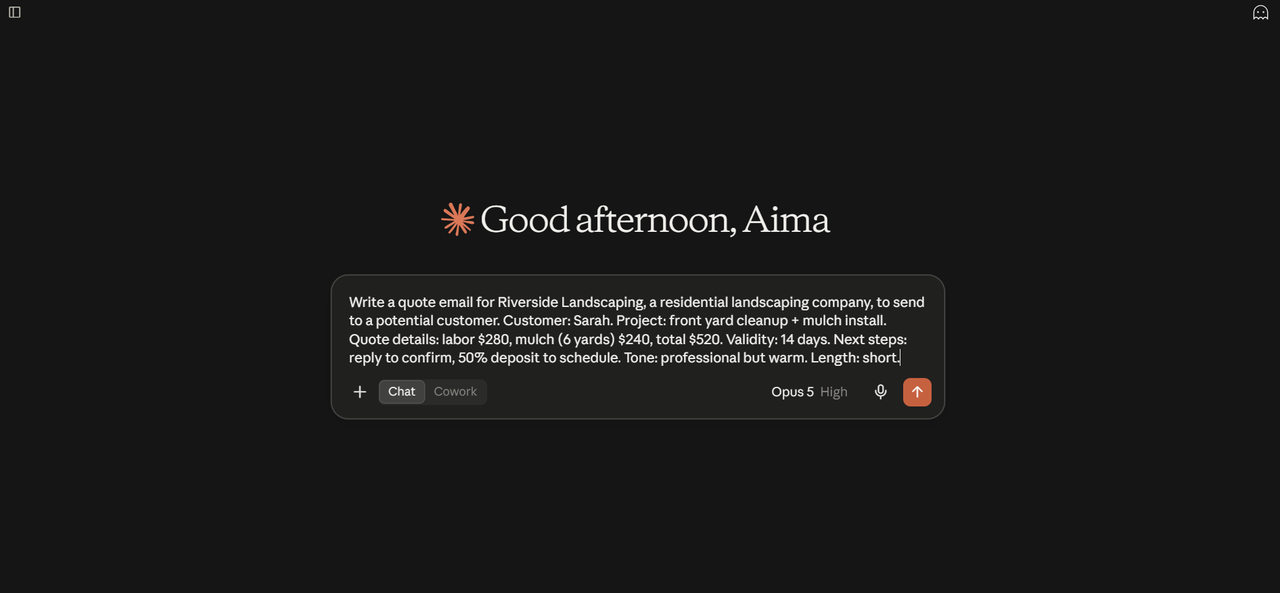
Proposals are one of the highest-value, highest-time-cost documents a service business produces. Claude can generate a first draft from a template and a set of inputs: client name, project scope, timeline, pricing, and any specific requirements. What used to take two hours of writing becomes thirty minutes of reviewing and adjusting.

SandLabs notes that Claude's ability to maintain consistent structure and tone across documents makes it particularly useful for firms that produce proposals at volume. An agency sending ten proposals a month can standardize quality and cut production time simultaneously.

AI Agents for Small Business: How Claude Powers Autonomous Task Handling

AI agents for small business represent the next step beyond interactive chat. Instead of you asking Claude a question and reading the answer, an agent takes a goal, breaks it into steps, executes those steps using connected tools, and returns a result. Claude's architecture supports this mode of operation, which is why it is increasingly used as the reasoning layer inside automated business workflows.

What Makes an AI Agent Different From a Chatbot

A chatbot responds to a single input with a single output. An AI agent operates across multiple steps, makes decisions at each step, and uses external tools to complete tasks. The difference in practice: a chatbot drafts an email when you ask it to. An agent monitors your inbox for a specific trigger, pulls relevant context from your CRM, drafts the reply, and flags it for your review, without you initiating anything.

For small businesses, that distinction matters because the value of AI compounds when it runs in the background. You are not saving time by typing faster. You are removing entire categories of manual work from your schedule.

Setting Up a Claude Agent for Lead Qualification or Scheduling

A lead qualification agent built on Claude can read incoming inquiry emails, extract key information (company size, budget signals, urgency, fit criteria), score the lead against your criteria, and route it to the right person with a summary. That workflow replaces what would otherwise be 10 to 15 minutes of manual triage per lead.

A scheduling agent can handle the back-and-forth of booking meetings: read availability, propose times, confirm, and update your calendar. Connected to a scheduling tool, it removes one of the most time-consuming low-value tasks in a small business owner's day. The setup requires API access and a basic automation layer, but it does not require a full-time developer.

Using Claude AI to Improve Customer Experience Without Hiring More Staff

The staffing math for small businesses is brutal. You cannot hire a dedicated customer experience person for every 20 clients you add. Claude changes that equation by handling the volume work: drafting responses, summarizing histories, flagging urgent issues, and maintaining consistent tone across every interaction.

Professional services firms are among the fastest AI adopters, with customer service as a primary use case. That is not coincidence. Service businesses live and die on responsiveness and quality of communication. Claude gives a 10-person firm the communication capacity of a much larger team.

The practical setup: create a system prompt that defines your brand voice, your common scenarios, and your escalation criteria. Every support draft Claude produces will reflect those parameters. Your team reviews and sends. Response times drop. Consistency improves. Headcount stays flat.

Claude AI for Financial and Administrative Tasks: Invoices, Reports, and More

Financial tasks are where many small business owners lose the most time and carry the most anxiety. Reconciliation, forecasting, month-end close, and explaining financials to stakeholders are all tasks that require precision and context. Claude handles the language and structure layer of those tasks, while your accounting software holds the numbers.

Anthropic's documented workflows for small businesses include reconciling QuickBooks cash positions against PayPal settlements, building 30-day cash flow forecasts, generating plain-English profit and loss summaries, and producing close packets ready for an accountant. These are not theoretical. They are specific, named workflows with defined inputs and outputs.

For administrative tasks, Claude can draft invoice reminder sequences, summarize contract terms, extract key obligations from vendor agreements, and generate structured reports from unstructured notes. A field service business, for example, can turn technician notes into formatted job reports. A consultancy can turn meeting transcripts into client-ready summaries. The common thread is converting messy input into structured, professional output without manual reformatting.

Connecting Claude to the Tools Your Small Business Already Uses

Claude's value multiplies when it connects to the systems where your business data actually lives. A standalone chat interface is useful. Claude reading your CRM, your accounting software, and your inbox is transformative. The connection layer is where ai automation for small business moves from interesting to operational.

MCP Connectors and No-Code Options for Non-Technical Owners
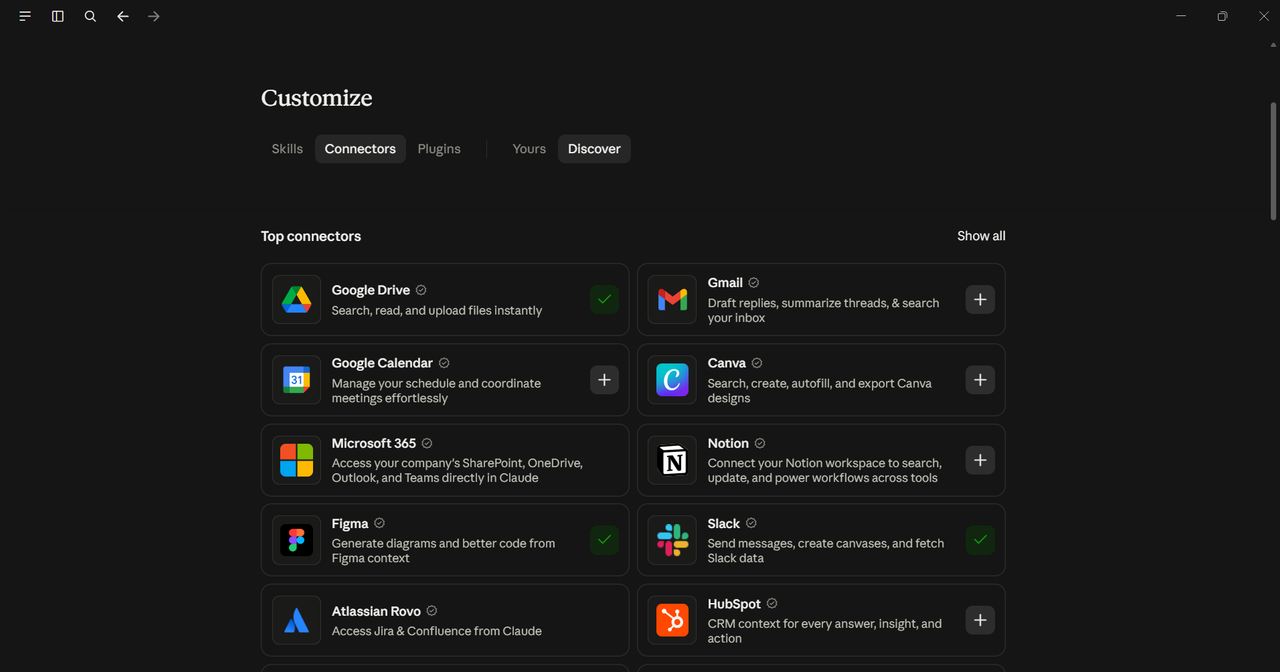
Anthropic's Model Context Protocol (MCP) is the standard that allows Claude to connect to external tools and data sources. A growing library of MCP connectors covers tools like QuickBooks, HubSpot, Google Workspace, Notion, and others. For non-technical owners, no-code platforms like Zapier and Make can bridge Claude to your existing stack without writing a line of code.

The practical workflow: you define a trigger (a new lead form submission, an overdue invoice, a completed job), Claude processes the relevant data, and an action follows (a draft email, a report, a calendar entry). The setup takes hours, not months. The ongoing maintenance is minimal once the workflow is stable.

API Access for Developers Building Custom Solutions

If you have a developer on staff or work with one, Claude's API opens up a wider range of custom integrations. You can embed Claude into your own internal tools, build custom agents that operate on your specific data, and create workflows that no off-the-shelf integration covers.

500k.io's analysis of Claude AI uses for business highlights coding and technical assistance as a documented use case, meaning Claude can also help a small dev team build and maintain those integrations. It can explain unfamiliar code, write functions, and review logic, which reduces the cost of custom development for businesses that cannot afford a full engineering team.

Data Privacy and Security: What Small Business Owners Must Know Before Using Claude

Before you paste a customer's personal information or your company's financial data into any AI tool, you need to understand how that data is handled. For Claude, the relevant distinctions are between consumer access (the free or individual tier) and business or API access.

Anthropic's business and API tiers include data handling terms that differ from consumer use. Specifically, Anthropic states that it does not use API inputs and outputs to train its models by default. For businesses handling sensitive client data, that distinction is material. Confirm the current terms directly on Anthropic's site before processing anything regulated.

Practical rules for small business use:

  • Never paste personally identifiable information into a consumer-tier interface without reviewing the terms
  • Use the API or a business plan if you are processing client data at volume
  • Anonymize or redact sensitive fields before using Claude for analysis where possible
  • Treat Claude like any other cloud tool: understand where the data goes before it leaves your system

The risk is not unique to Claude. It applies to every cloud-based AI tool. The businesses that get this right are the ones that establish a clear policy before the first sensitive document gets pasted in.

Beyond Off-the-Shelf: Custom AI-Operable Software You Own

Claude is a powerful tool. But it operates on top of whatever software infrastructure you already have, which means it inherits all the limitations of that infrastructure. If your core business runs on per-seat SaaS tools with locked data, limited APIs, and pricing that scales with every hire, Claude can make you faster inside that constraint. It cannot remove the constraint.

That is where Founding.dev's approach is different. We build and deploy custom software that your business owns outright, at a flat monthly fee with no per-seat pricing. The software is designed from the start to be AI-operable, meaning Claude and other AI tools can connect to it, read from it, and act on it without fighting against vendor-imposed API limits or data export restrictions.

A claims-management company we worked with replaced two SaaS tools and cut their software spend from $30,000 per year to $8,800 per year, a reduction of roughly 70%. That is not a projection. That is a deployed result. The software they own now connects cleanly to AI workflows in a way their previous vendor tools never could.

If you are stacking Claude on top of a SaaS bill that keeps climbing, the math eventually stops working. Owning your stack changes the denominator. Claude becomes more valuable when the software underneath it is built to be operated by AI, not just tolerated by it.

GoSign, our e-signature product, is one example: a flat-rate, unlimited-user alternative to DocuSign or HelloSign, built on an AGPL open source foundation, deployable into an AI workflow without per-document fees or API throttling. Kalendar does the same for scheduling. Both are starting points. The larger opportunity is custom software built around your specific workflow, owned by you, and designed to work with the AI tools you are already using.

FAQ

Is Claude AI affordable for a small business with a tight budget?

Claude offers multiple access tiers, including entry-level individual access that is priced for solo users and small teams. For businesses that want to automate workflows programmatically, API pricing means you pay based on usage rather than a fixed monthly seat fee. Confirm current plan prices directly on Anthropic's pricing page, as figures change. The structural point is that Claude's pricing model does not penalize you for adding team members the way per-seat SaaS tools do, which makes it more budget-friendly as your headcount grows.

What are the most practical Claude AI use cases for a service-based small business?

For service businesses, the highest-ROI applications are proposal and quote generation, customer communication drafting, contract review and summarization, and meeting-to-action-item conversion. A consultancy or agency can use Claude to produce first drafts of client deliverables, summarize long email threads before responding, and extract key obligations from vendor contracts. These are tasks that currently consume hours of skilled staff time every week and produce output that Claude can draft in minutes for human review.

How is an AI agent different from just chatting with Claude directly?

When you chat with Claude directly, you initiate each interaction and read each response. An AI agent operates autonomously: it monitors a trigger, executes a sequence of steps using connected tools, and delivers a result without you starting the process. For a small business, that means a lead qualification agent can process every new inquiry in the background, score it, and route it to the right person, while you are doing something else. The difference is between a tool you use and a system that runs.

Can I use Claude for business without any coding or technical skills?

Yes. Claude's web interface requires no technical setup. For connecting Claude to other tools, no-code platforms like Zapier and Make offer pre-built integrations that let you automate workflows without writing code. Anthropic's MCP connector library is also expanding, covering common small-business tools. The workflows that require API access or custom development are more powerful, but they are not the starting point. Most small businesses can extract significant value from Claude before they need any technical resources.

Is it safe to share customer data or business financials with Claude AI?

It depends on which access tier you use and what your data handling obligations are. Anthropic's API and business plans include terms that differ from consumer use, including provisions around not using your inputs to train models by default. Before processing customer personal data or regulated financial information, review Anthropic's current data handling terms for your specific plan. As a general practice, anonymize or redact sensitive fields where possible, and treat Claude like any other cloud service: understand the data flow before anything sensitive leaves your system.

How quickly can AI automation for small business start saving me time with Claude?

The simplest workflows, like using Claude to draft emails, summarize documents, or generate proposals from a template, can save time from the first session. More structured automation, like connecting Claude to your CRM or accounting software to run background workflows, takes longer to configure but delivers ongoing time savings without repeated manual input. The businesses that see the fastest results start with one high-frequency, text-heavy task, prove the time savings, and then expand from there rather than trying to automate everything at once.